Find your child's gallery
Overview
This guide shows how to open your child's online gallery. Every child has their own access code. You get it one of three ways:
- An email from us when photos are ready, with a gallery link and code
- A QR card or access card your child brought home
- A retake or reminder email for your school
Open the gallery with an access code
- Go to stilllightstudios.com.
-
Click Gallery Access at the top of the page.

-
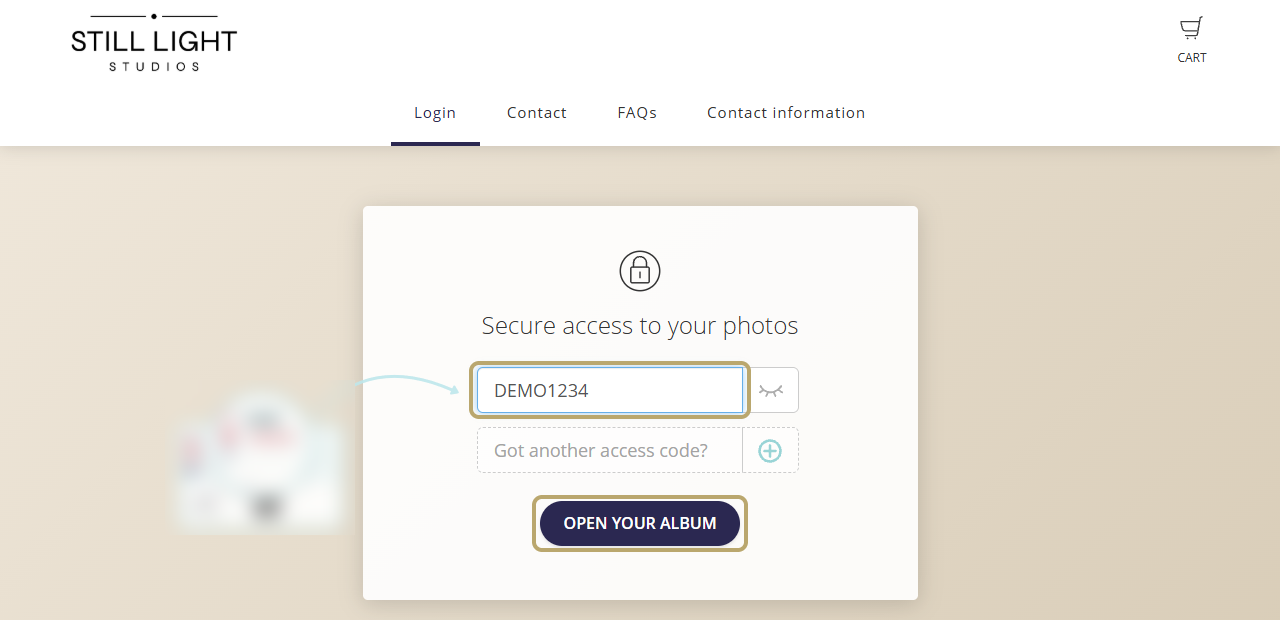
Type the access code exactly as printed (for example DEMO1234) and click Open your album.
Open the gallery from our email
- Open the "photos are ready" email from Still Light Studios.
- Click the gallery link. It signs you in automatically, no code to type.
Use a QR card
- Point your phone's camera at the QR code on the card.
- Tap the link that appears. It opens your child's gallery directly.
If it says photos aren't ready yet
That message means the gallery isn't published yet. Photos usually go online about two weeks after picture day, and we email you when they're ready.
See also
Still stuck? Email support@stilllightstudios.com
with your child's name, school and (if you have one) your order number. We usually reply within 24 hours.